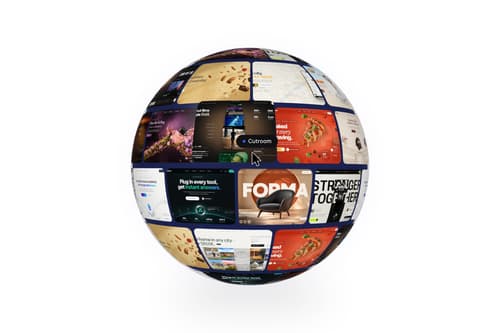
Discover 3 3D Elements Components
3D Elements for React and Tailwind CSS
Animated 3D elements you drop into a React page: objects and scenes built with Three.js that turn with scroll or follow the cursor. Styled with Tailwind CSS v4 and installed with one command.
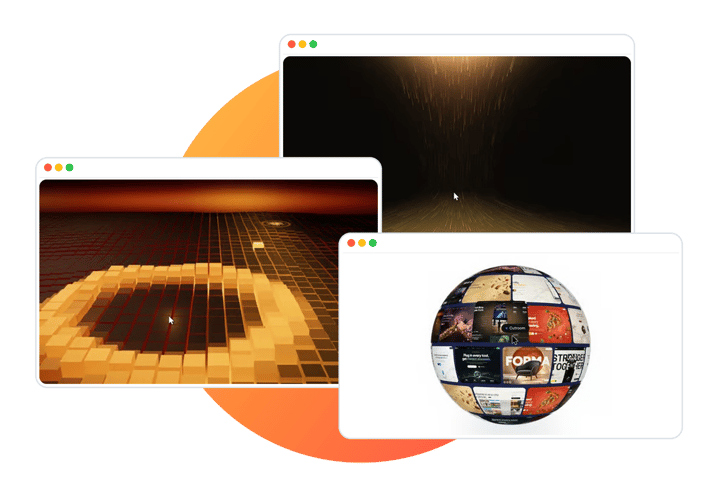
What is a 3D element on a website?
A 3D element is an object or small scene drawn in three dimensions inside a web page, such as a shape that turns as you scroll or follows the cursor. It sits in your layout like an image, but it moves and has depth.
3D elements for websites work best as a focal point: one object next to a headline, a product shape in a feature block, a scene behind a call to action. These UI 3D objects are built with Three.js and React Three Fiber, so they run in the browser with no plugins. You get the source code as a React component styled with Tailwind CSS v4, and it's part of our React components.
How to add a 3D element to your website
Run one CLI command, copy the source or paste an AI prompt. Whichever you pick, the code ends up in your project as a file you can edit.
- Pick one from the grid, open the live preview, and adjust colors, fonts and motion in the Customize panel.
- Install it with the CLI. Run
npx motionuikit@latest add <name>in your project folder (Node.js 20 or newer). It writescomponents/motionuikit/ui/<name>.tsx, undersrc/if your project has one, and installs the npm packages it needs. See the CLI guide. - Or copy it by hand. Copy the file from the page and install the npm packages it lists, or paste the AI prompt into Cursor, Claude, v0, Lovable, Bolt or any AI tool with a terminal.
- Use it. Import it from
@/components/motionuikit/ui/<name>, place it on a page and adjust the props.
Browse other component categories
Components are grouped by what they do on a page.
- Animated buttons: call-to-action buttons with motion built in. For the moment a visitor decides to click.
- Text effects: headings and text that move. For the line you most want people to read, such as a headline or a key number.
- All React components: every category in one grid, which you can filter by style.
Frequently asked questions
They can, because the browser draws them on the GPU. Use one per screen, load it after the main content, and test on a mid-range phone. If a visitor prefers reduced motion, show a still frame instead of the animation.
Mostly to draw the eye. A 3D UI element can show a product from every side, turn an abstract idea into an object, or give the first screen a memorable focal point. Use them where depth helps people understand something, not as decoration everywhere.
Only a browser that supports WebGL, which every modern browser does. These components use Three.js and React Three Fiber, and the CLI installs both for you, so you add the component like any other React component.
Next to the headline on the first screen, beside a key feature, or behind a final call to action. Leave space around the object, keep text off its busiest parts, and avoid having several animated 3D elements in view at the same time.
They can be. Give each element a text alternative if it carries meaning, make sure nothing important exists only in 3D, and respect the reduced-motion setting. Treat the 3D part as an extra layer on top of content that works without it.
Each component is marked Free or Pro. Browsing and live previews of free ones need no account; copying code or installing needs a free account. Pro components need a paid plan, which also includes every Pro section and template. See plans and limits.
Run npx motionuikit@latest add <name> in your project with Node.js 20 or newer. It writes the file to components/motionuikit/ui/ and installs the npm packages it needs. You can also copy the source from the page or paste its AI prompt into your editor.
React, in Next.js, Vite and Astro. Components are written in TypeScript; in a JavaScript project, the CLI converts them to .jsx and .js as it installs them. In Astro, it adds the React integration, and you render the component with client:load.
Yes. The Customize panel on each component page changes colors, fonts and motion in the live preview, and you can save a look you like as a variant on your account. Once it's installed, the source is yours to edit directly.
Yes. The license covers unlimited projects, client work included, and you keep everything you installed after your plan ends. You can't resell the components as your own UI kit, template or design file, or use them to build a competing product.