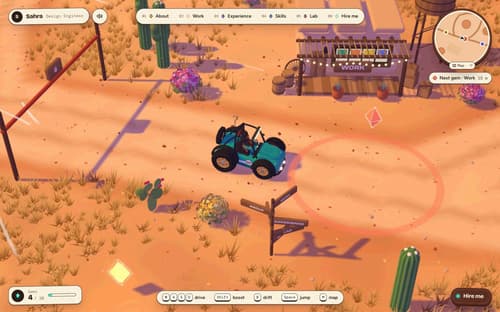
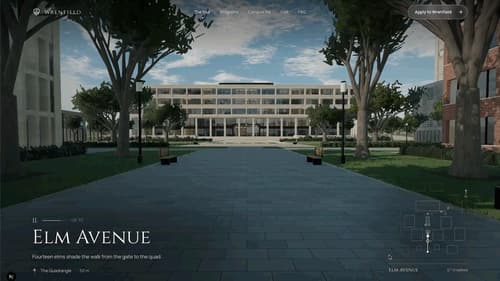
Discover 20 Templates
Website Templates for Next.js and Tailwind CSS
20 animated website templates for Next.js, 4 free. Complete React and Tailwind CSS v4 sites, ready to run and deploy. Get one with the CLI or an AI prompt.
What is a website template?
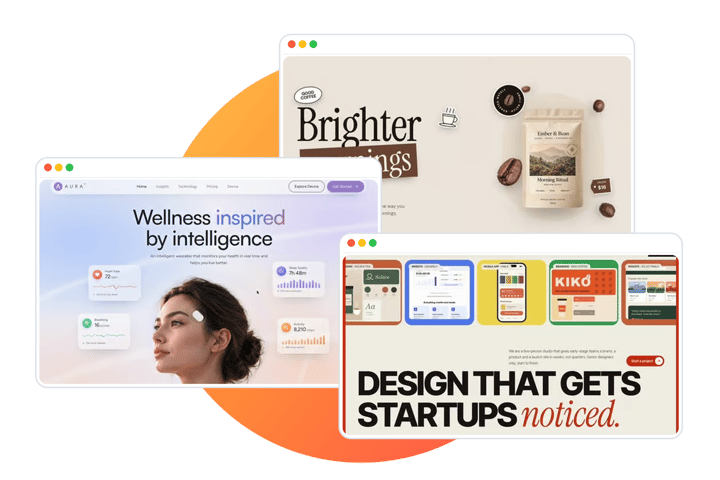
A website template is a complete site that's already built, with the pages, layout, styling and animation done. You replace the copy, images and colors with your own, then publish it. Starting from a template website means you skip the blank page and spend your time on the parts that are yours: the words, the photos and the brand.
Every MotionUIKit template is a regular Next.js project built with React and Tailwind CSS v4, so you run it, edit it and deploy it like any other Next.js app. The full source code lands in your own folder, with no MotionUIKit runtime attached. Need less than a whole site? Use animated sections for one block of a page, or React components for a single piece of UI. All three are part of MotionUIKit, a UI kit of animated React and Tailwind CSS code.
How to use these website templates
Get the template, run it on your computer, make it yours, then put it online. Each template arrives as a new Next.js project folder that's yours from the start.
- Pick a template. Filter the grid by style and open the live preview. Want a free one to try first? Start with Kestrel or Aura.
- Download it. Use the download button on the template's page, or run
npx motionuikit@latest add <name>(Node.js 20 or newer), which creates a new folder named after the template. You can also paste the template's AI prompt into Cursor, Claude, v0, Lovable, Bolt or any AI tool with a terminal, and it runs the download for you. The CLI guide has the details. - Run it locally. Open the folder, install its npm packages with the commands the CLI prints, then start the dev server (
npm run devin most Next.js projects) and open the site in your browser. - Make it yours. Replace the copy, images and colors, and remove any pages you don't need. Each change shows up in the browser as soon as you save.
- Put it online. Deploy it like any Next.js project, to Vercel, Netlify or any host that runs Next.js.
AI agents can also connect through MCP.
Browse animated website templates by style
Filter the grid by the kind of motion you want. A template's style sets the feel of the whole site, so it's worth choosing before you pick a category.
- 3D Animation: Three.js scenes that react to scroll or the cursor. They suit product, AI and tech sites that want a first screen people remember.
- Horizontal Scroll: content that slides sideways as you scroll down. A good fit for portfolios and case studies, where work is shown one piece at a time.
- Text Animation: headlines that type, scramble or reveal. It keeps a text-led site, like an agency or a software product, from feeling static.
- Magnetic Effect: buttons and elements that pull toward the cursor. It gives the whole site a playful, hands-on feel and draws the eye to each call to action.
- Motion Background: backgrounds that move on their own. They carry the mood across every page while the content stays still.
- Parallax: layers that scroll at different speeds. It adds depth to long pages and works especially well with big photography, such as food or product shots.
Browse website templates by category
Templates are grouped by the kind of site you're building. Each category page shows every template in it, so you can compare them side by side.
- Robot website templates: sci-fi and robotics products. A robotics site has to show the machine and what it does in the first few seconds.
- Agency website templates: design, marketing and dev studios. An agency site is its own portfolio piece, so the motion is part of the pitch.
- SaaS website templates: software products. A SaaS site has to explain the product, show the pricing and get the signup, in that order.
- Product landing page templates: a single product or launch. One page, one product, one action, with every section leading to the buy or signup button.
- AI website templates: AI products and startups. They have to make something new feel clear, so the motion should explain, not decorate.
- Restaurant and cafe website templates: restaurants, cafes and bakeries. Visitors come for the menu, the hours and the booking, and want to find them fast.
- Ecommerce website templates: online stores. Product photos do the selling, and motion should lead people to the cart, not away from it.
- Portfolio website templates: designers, developers and freelancers. Your work is the content, and the site's job is to frame it well.
Frequently asked questions
Animated websites use motion to guide attention: text that reveals as you scroll, layers that move at different speeds, a background that shifts, a button that follows the cursor. Good motion explains the page. It never hides the content or makes the site feel slow.
Download the template, install its npm packages, and replace the copy, images and colors with your own. Run it locally to check everything, then deploy. Because it's a standard Next.js project, you can host it anywhere that runs Next.js.
Agency, AI, restaurant and cafe, ecommerce, portfolio, product, robot and SaaS sites. Jump to one from the category list above, or filter the grid by style, such as parallax, 3D animation or horizontal scroll, to find the motion you want.
It helps to be comfortable running a Next.js project from a terminal. If you're not, paste the template's AI prompt into a tool like Cursor, Claude, Lovable or Bolt. It runs the download for you, and you can ask the same tool to help you edit the site.
Both. Next.js is a React framework, so these are React website templates built as Next.js projects. You work in React with TypeScript, styled with Tailwind CSS v4. If your project already runs on Vite or Astro, use MotionUIKit's sections and components instead.
Yes. 4 of the 20 templates are free. You can browse them and watch their live previews without an account; downloading needs a free account. The rest are Pro and need a paid plan, which also includes every Pro section and component. See plans and limits.
There are three ways: the download button on the template's page, npx motionuikit@latest add <name> with Node.js 20 or newer, or the template's AI prompt in Cursor, Claude, v0, Lovable or Bolt. Each download counts toward your daily template limit, which resets at 00:00 UTC.
Yes. These are Tailwind templates through and through, with Tailwind CSS v4 already set up when the project arrives. You style with utility classes, so changing colors, fonts and spacing works the way it does in any Tailwind project: open the file, change the classes, and the page updates.
All of it. The full source sits in your own project folder, so you can change the copy, images, colors, fonts and animations, or delete whole sections you don't need. Nothing breaks if you stop using the CLI or your plan ends.
Yes. The license covers unlimited projects, client work included, and you keep what you downloaded after your plan ends. You can't resell a template as your own template, UI kit or design file, or use it to build a competing product.